
Workday EIB gives teams a guided way to move data into or out of Workday without building a custom integration. The tool can handle many scheduled extracts, bulk loads, and straightforward file exchanges. Its form-based setup reduces coding, but the work still requires sound decisions about data, security, validation, ownership, and support.
A reliable Workday EIB starts with a clear business purpose and an agreed data contract. The team should know which records move, which system owns each field, how errors will surface, and who will respond. This guide explains those decisions from design through post-launch operations.
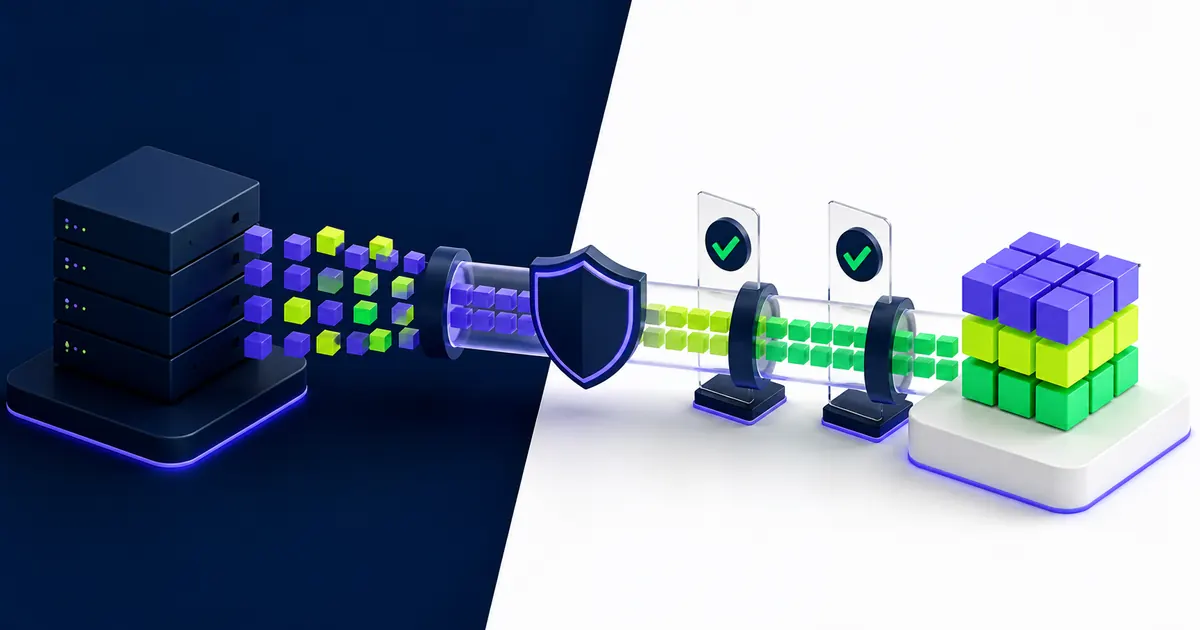
What Workday EIB Does and Where It Fits
Workday describes Enterprise Interface Builder as a guided tool for simple inbound and outbound integrations that do not require programming. An outbound EIB extracts Workday data and sends it to another destination. An inbound EIB accepts a file or web-service payload and creates or updates data in Workday.
Common uses include scheduled worker extracts, payroll inputs, reference-data loads, benefit or vendor files, and one-time conversion activities. EIB works best when the data flow follows a defined source, transformation, and delivery path.
Inbound and Outbound Workday EIB Designs
An outbound Workday EIB often begins with a custom report or Workday web service. The design may transform the output into CSV, XML, or another agreed format before sending it through SFTP, HTTPS, email, or a Workday attachment.
An inbound Workday EIB starts with the target Workday web-service operation or a delivered spreadsheet template. The source file must follow the expected structure, and the person launching the load needs permission to update the affected data.
The Four-Part EIB Design Pattern
Workday defines an EIB through four connected parts:
- Integration system: the Workday object that holds the configuration
- Data source: the report, web service, spreadsheet, or external file that supplies records
- Transformation: the logic that converts source data into the required format
- Transport: the method used to receive or deliver the file or payload
Review all four parts together. A correct report can still produce a failed interface when the receiving system expects a different date format, filename, encryption method, or delivery schedule.
Decide Whether Workday EIB Is the Right Tool
Choose Workday EIB when the requirement is stable, the data flow is one-way, and the transformation or orchestration stays modest. The tool is a strong fit for a scheduled report extract, a governed spreadsheet load, or a file exchange with clear rules.
Workday’s Integration Cloud guidance positions EIB for simple and medium-complexity integration requirements. That boundary matters because a solution that is easy to launch can become hard to operate if teams force complex routing, state management, or exception handling into a simple pattern.
Know When to Use a Connector, API, or Workday Studio
Use a packaged connector when Workday or a partner already supports the third-party service and its processing rules. Consider direct APIs when an application needs request-and-response behavior or tighter control over transactions. Use Workday Studio when the integration requires complex branching, aggregation, multiple endpoints, advanced transformations, or richer error handling.
Workday’s Studio documentation distinguishes EIB from Studio by the level of programming skill and integration complexity involved. Select the tool based on the operating requirement, not the fastest configuration path.
Plan Data, Security, and Ownership Before Configuration
A Workday EIB design should name the business owner, technical owner, data owner, and support contact before configuration begins. These people decide what belongs in scope, approve mappings, validate results, and respond when an integration fails.
Document the source and target systems, record-selection rules, frequency, expected volume, timing, file format, encryption, retention, reconciliation, and recovery approach. This creates a shared reference for configuration, testing, and later support.
Define the Data Contract and Identifiers
List each field, its source, target, format, required status, valid values, and transformation rule. Pay close attention to reference IDs, effective dates, country codes, organizational assignments, and fields that allow multiple instances.
Use stable identifiers instead of display names where the target operation supports them. Names change and can repeat. A controlled reference ID gives the team a clearer basis for matching records and investigating rejects.
Use Least-Privilege Security and Separate Responsibilities
Workday EIB security controls who can build, configure, launch, schedule, and review integration events. Create an integration system user or security group with the minimum domains and actions the interface needs. Keep build permissions separate from production launch and support access when the control model requires it.
Workday’s integration security documentation identifies separate domains for integration build, configuration, events, reports, and security. Test both allowed and denied access before release.
Build an Outbound Workday EIB
Start an outbound Workday EIB with the receiving system’s specification. Confirm the fields, record-selection rules, format, filename, encryption, delivery method, schedule, and acknowledgement process. Then design the Workday source to meet those requirements.
A custom report used as a data source should return the records and fields the recipient needs. Validate report prompts, effective dates, security context, and calculated fields. Large extracts also need a volume test that reflects production conditions.
Select and Validate the Outbound Data Source
A web-service-enabled custom report, often called Report as a Service, offers flexible selection and field design. A Workday web service may provide a more structured contract for certain objects. Choose the option that gives the receiving system the required data without creating fragile report logic.
Run the source under the integration user’s security context. A report that works for an administrator can return fewer records, blank fields, or no data for the production integration account.
Configure Transformation and Delivery Controls
Define the output format and transformations after the source is stable. Keep transformation logic documented and versioned. Confirm delimiters, quoting, headers, character encoding, date formats, decimal rules, null handling, and file compression with the recipient.
For SFTP or HTTPS delivery, record the endpoint owner, authentication method, credential rotation process, folder permissions, encryption requirements, and recovery steps. Avoid using email for sensitive workforce data unless the organization’s policy and risk review permit it.
Build an Inbound Workday EIB
An inbound Workday EIB updates Workday, so the release process should protect production data from incorrect or repeated loads. Begin with the target web-service operation and generate the corresponding template. Keep template headers and structural fields intact unless Workday documentation for that operation permits changes.
Prepare the file from a controlled source, validate required fields, and retain the source version used for each run. The team should also decide whether the operation adds, updates, replaces, or rescinds data and how it handles a partial failure.
Prepare and Validate the Inbound Spreadsheet
Workday’s public payroll input guidance describes the delivered EIB spreadsheet workflow: create the integration, generate the template, prepare the data, and launch the upload. The same discipline applies across other inbound operations.
Validate reference IDs, date formats, required columns, blank values, and row counts before launch. Test a small representative file first, then increase volume. Reconcile accepted, rejected, and skipped records against the source file.
Test and Release Workday EIB Integrations
Test the complete Workday EIB path with realistic records and the same security model planned for production. Cover:
- Expected records and normal volumes
- Missing required values and invalid reference IDs
- Duplicate files or repeated inbound rows
- Empty extracts and high-volume files
- Endpoint outages, authentication failures, and timeouts
- Partial failures and restart behavior
- Reconciliation totals and business-owner acceptance
Record the test evidence, unresolved risks, launch window, rollback approach, and support contacts before approving production use.
Design Error Handling and Reconciliation
A completed integration event does not prove the receiving system processed every record. The team needs controls at both ends of the interface. Compare source counts, output counts, accepted records, rejects, and key business totals.
Route notifications to a monitored support channel rather than one person. Define which errors can be corrected and rerun, which require a new source file, and which need business-owner approval. Store enough context to investigate without copying sensitive data into tickets or email.
Operate Workday EIB After Launch
Assign an owner for schedules, credentials, endpoints, transformations, security, and vendor coordination. Review integration events on a set cadence and track recurring failures, late deliveries, volume changes, and manual interventions.
Workday releases, business-process changes, reorganizations, and vendor specification updates can affect an EIB even when its configuration has not changed. Include critical interfaces in release testing and review the design when the business adds new regions, worker types, or data requirements.
Managed support can help teams monitor failures, coordinate fixes, document changes, and keep integrations aligned with the operating model.
How EVOCS Supports Workday Integrations
EVOCS helps organizations assess Workday integration requirements, select the right tool, define data contracts, configure EIBs, test security and exceptions, and establish post-launch ownership. Our integration and digital product teams can also support API, middleware, and custom development when EIB is not the right fit.
If you are planning a new Workday EIB or stabilizing an existing interface, schedule a strategy conversation to review the requirement, risks, and support model.