
Workday Adaptive Planning AI can help finance teams analyze variances, explore data, build forecasts, and compare scenarios within a governed planning process. The value depends on model quality, reliable source data, clear user roles, and human review of every material decision.
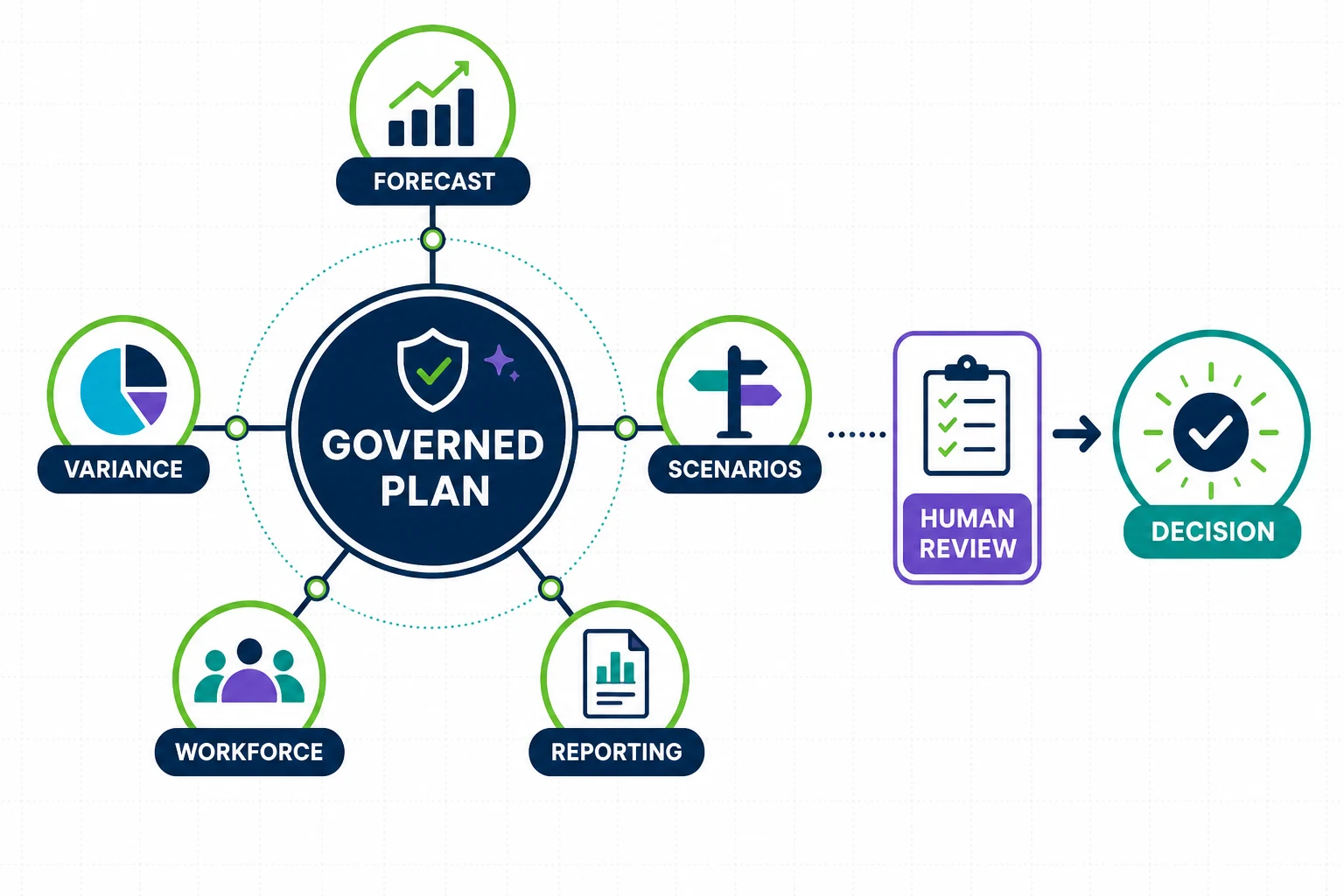
Finance leaders should begin with a narrow use case and a measurable baseline. Track cycle time, forecast accuracy, manual effort, exceptions, and user adoption before expanding the scope.
What Workday Adaptive Planning AI Includes
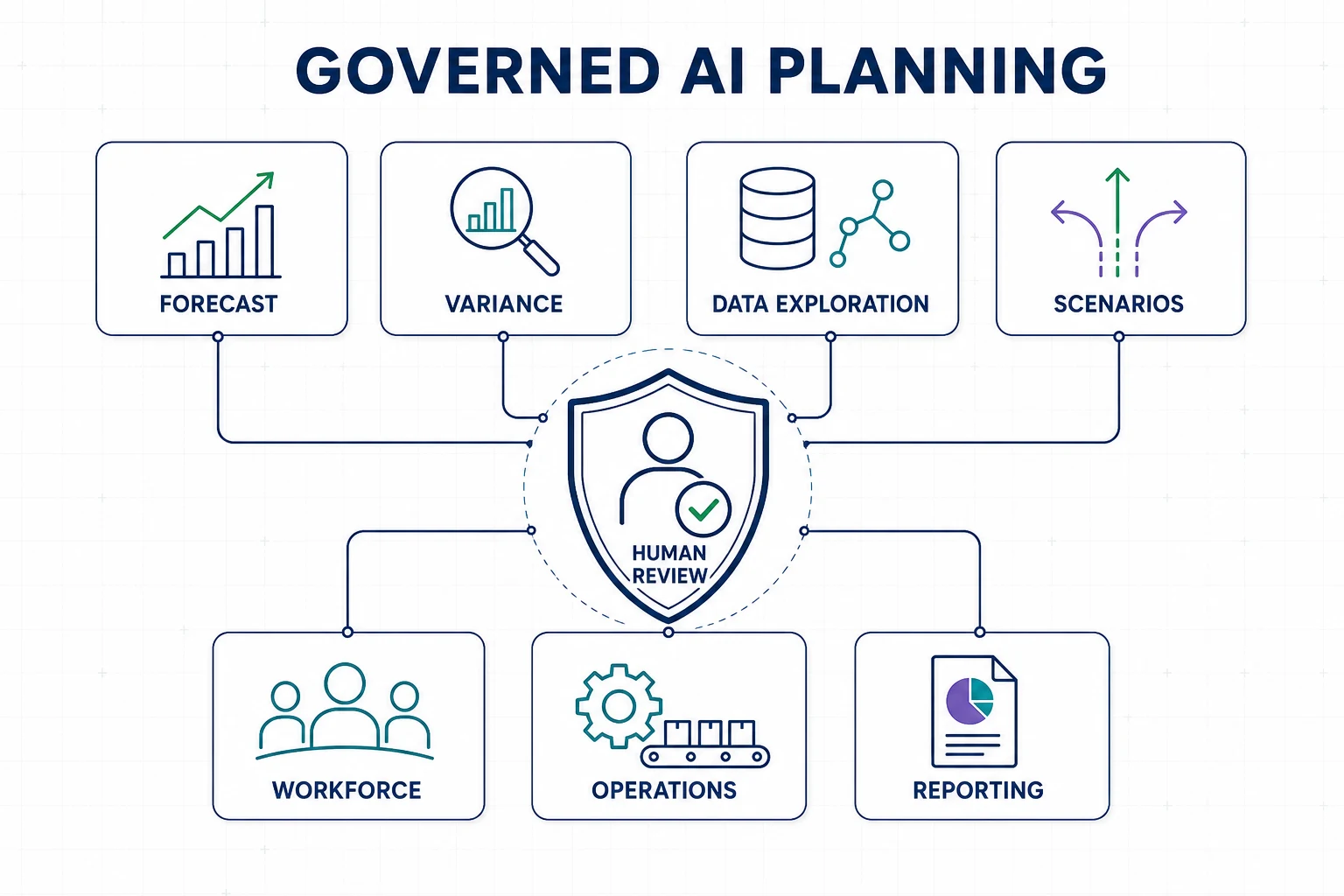
Workday describes AI for FP&A capabilities that include Planning Agent, predictive forecasting, data exploration, variance analysis, and scenario modeling. Product availability and configuration can vary, so confirm licensing, release status, security, and implementation requirements for your tenant.
The strongest design keeps users in the loop. Finance owns assumptions, validates source data, reviews suggested outputs, and approves changes to the working plan.
1. Predictive Forecasting
Use historical results and approved drivers to create a forecast baseline. Compare the output with the current finance forecast and measure accuracy by period, account, product, region, or other useful dimension.
Workday Adaptive Planning AI should supplement business judgment. Review one-time events, structural changes, sparse data, and external conditions that history does not capture.
2. Automated Variance Analysis
Prioritize material variances by size, direction, business unit, and controllability. Give analysts a governed starting point for investigation, then require them to confirm source transactions and business context before publishing commentary.
Measure time spent preparing the monthly review and the percentage of explanations that require correction. Those measures reveal whether automation improves quality as well as speed.
3. Data Exploration With Natural Language
Allow authorized users to ask questions across plan dimensions and reports. Define approved vocabulary for metrics, scenarios, organizations, and time periods so users interpret results consistently.
Protect sensitive financial and workforce data with role-based access. Log important analyses and link decisions to the source report or scenario.
4. Driver-Based Scenario Modeling
Test changes in price, volume, hiring, capacity, interest rates, or other business drivers. Use personal scenarios for early analysis and share governed scenarios when assumptions and owners are ready for review.
Workday highlights unlimited what-if scenarios and predictive forecasting in its scenario planning overview. Model the decisions your organization can act on rather than generating scenarios without an owner.
5. Workforce and Labor-Cost Planning
Connect approved positions, hiring dates, compensation assumptions, vacancies, attrition, and contractor plans to the financial forecast. HR and finance should agree on definitions, effective dates, access, and approval rules.
Workday Adaptive Planning AI can support analysis, but the organization remains responsible for privacy, fairness, and employment decisions. Restrict individual-level detail to authorized roles.
6. Demand, Capacity, and Operational Planning
Link financial plans to operational drivers such as demand, labor, production, inventory, projects, or service capacity. Compare scenarios using the same dimensions and assumptions across finance and operations.
Reconcile approved operational plans to the financial view. Assign owners for refreshes, exceptions, and changes in the driver model.
7. Management Reporting and Narrative Preparation
Use governed outputs to prepare first-pass summaries of performance, risks, and scenario results. Analysts should verify every number, remove unsupported explanations, and tailor the narrative to the decisions leaders must make.
Keep links to the underlying report, version, and assumptions. A polished narrative does not replace traceability.
A Practical Adoption Checklist
- Choose one decision and baseline its current effort
- Confirm data ownership and reconciliation controls
- Define security, review, and approval roles
- Test accuracy, exceptions, and failure handling
- Train users on permitted use and limitations
- Measure adoption, corrections, and business outcomes
Expand Workday Adaptive Planning AI only after the first use case operates reliably. A controlled sequence gives finance time to improve data and governance alongside the technology.
Workday Adaptive Planning AI FAQs
Does AI replace the FP&A team?
No. Finance still owns the model, assumptions, controls, interpretation, and approved plan. AI can reduce manual analysis and help users explore governed data.
Which use case should come first?
Select a frequent, measurable process with reliable data, such as variance analysis or a forecast for one business driver.
How can EVOCS help?
EVOCS supports planning architecture, data integration, model design, governance, testing, and adoption. Contact EVOCS to assess a Workday Adaptive Planning AI use case.