
Workday Adaptive Planning and Prism Analytics connect financial plans with operational data in one planning workflow. Finance teams can update forecasts, test scenarios, and assess performance with current information instead of stitching together separate exports.
Supply chain changes, inflation, staffing constraints, and new regulations can make an annual plan obsolete before the quarter ends. Workday Adaptive Planning supports continuous planning across finance and operations. Workday Prism Analytics brings Workday and external data into governed datasets that teams can analyze inside Workday.
The combination gives finance and operational leaders a shared view of assumptions, drivers, and outcomes. The sections below explain the data flow, common use cases, implementation choices, and controls that keep the model useful after launch.
The Challenge: Data Fragmentation and Planning Silos
Planning breaks down when finance teams cannot connect their models to current operational data. General ledger actuals may live in an ERP, while customer activity, inventory, workforce, and supply chain data sit in separate applications or spreadsheets. Analysts spend each cycle reconciling exports before they can explain performance.
The result?
- Forecasts rely on stale assumptions or incomplete operational data.
- Teams cannot update models fast enough to reflect changes in demand, staffing, or costs.
- Leaders spend review meetings debating data quality instead of choosing a response.
- Manual handoffs create version-control problems and weaken confidence in the forecast.
Workday Prism Analytics: Creating a Single Source of Truth
Workday Prism Analytics data integration combines Workday and non-Workday data, applies transformations, and publishes governed data sources for reports and analysis. Workday documents the process as acquiring data, transforming it, and publishing the result for use in Workday.
Key strengths include:
- Combine financial and operational data in a governed source.
- Give finance, operations, and technical teams access to approved measures.
- Analyze transaction, customer, product, and workforce detail at the level the model needs.
- Feed current operating measures into Adaptive Planning instead of relying only on static historical extracts.

Building Dynamic, Driver-Based Models
Adaptive Planning can use operational measures from Prism as model drivers. Finance teams can connect revenue, labor, volume, utilization, or supply data to the assumptions that shape a forecast.
Consider these examples:
- Retail and wholesale teams can use point-of-sale and inventory data to model store demand, replenishment, and labor needs.
- Healthcare organizations can connect patient volumes and service duration to revenue, staffing, and expense forecasts.
- Manufacturers can test how production volume, supply disruption, and raw-material costs affect margin and cash.
When operating measures are tied to defined model drivers, changes in demand, staffing, price, or cost flow through revenue, expense, margin, and cash forecasts. Leaders can compare scenarios without rebuilding the underlying data.
Real-World Impact: Faster, Smarter Decisions
Organizations use the combined planning and analytics environment to reduce manual preparation, improve scenario analysis, and give finance and operating teams a common set of inputs.
A Forrester Total Economic Impact study commissioned by Workday modeled a 242% return on investment and a payback period of less than six months for a composite organization. The study also modeled FP&A productivity gains that increased from 25% in year one to 35% in year three. These figures describe the study’s composite organization; actual results depend on scope, adoption, data quality, and operating practices.
Enabling Continuous Planning with Rolling Forecasts
Finance teams can replace a once-a-year planning event with monthly or quarterly rolling forecasts. Prism supplies refreshed operational data, while Adaptive Planning applies that data to models, scenarios, and dashboards. EVOCS covers the operating model behind this approach in its guide to Adaptive Planning for business transformation.
- Refresh the rolling forecast on a schedule that matches business volatility and decision cycles.
- Use what-if scenarios to test opportunities, constraints, and changes in assumptions.
- Track cost, revenue, cash, and capacity risks against an approved baseline.
The result should be a rolling forecast that uses approved, current data from the operating areas that materially affect the plan, such as workforce, customers, suppliers, and assets.
How Workday Adaptive Planning + Prism Analytics Work Together
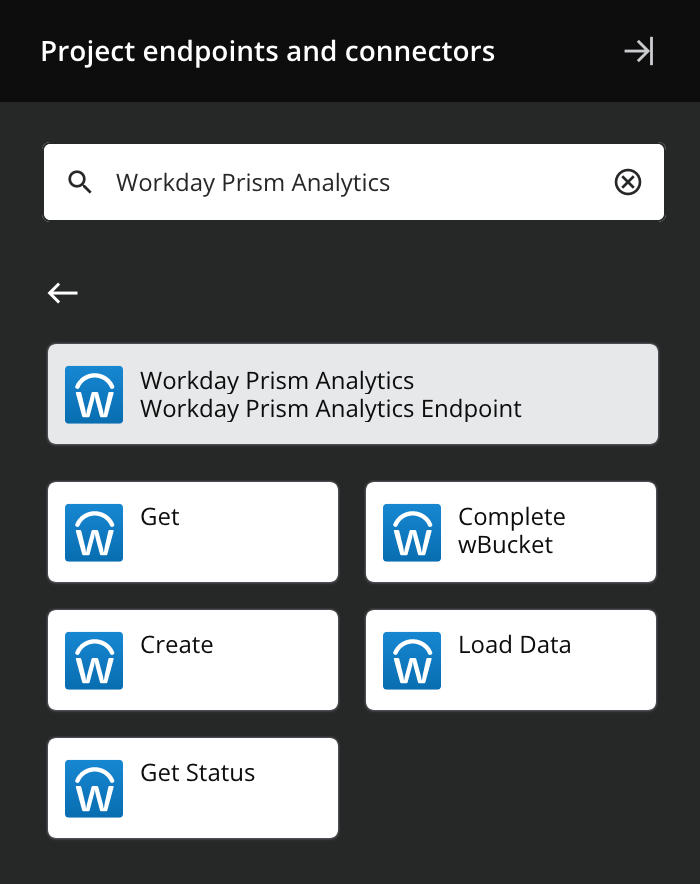
The architecture starts with governed connections and defined ownership. Workday’s Adaptive Planning integration documentation describes a framework for connecting source systems, preparing data in staging, mapping fields, and scheduling loads.
- Acquire: Connect Workday reports, third-party ERPs, CRMs, spreadsheets, SFTP sources, APIs, or supported cloud platforms.
- Prepare: Clean, normalize, join, and validate data before planners use it.
- Publish: Make governed Prism data sources available to Workday reports and downstream planning processes.
- Model: Map operational measures to Adaptive Planning sheets, dimensions, versions, and dashboards.
- Refresh: Schedule updates and monitor failures so forecasts use approved data.
For implementation patterns and data-flow considerations, see the EVOCS guide to Workday Adaptive Planning integration.
Low-code configuration can let trained finance and planning users maintain approved mappings or schedules without waiting for a custom development cycle. IT should still govern access, integrations, monitoring, and changes that affect shared data.
A Practical Forecasting Example
Consider a manufacturer that forecasts margin by product family. Finance holds the general ledger actuals, procurement manages purchase-order data, and operations tracks production volume, scrap, and downtime. A spreadsheet process forces analysts to collect each file, align product codes, and investigate missing records before they can update the forecast.
The implementation team can load those sources into Prism and define the transformations once. The team maps product and supplier identifiers, applies currency rules, flags rejected records, and publishes an approved dataset. Data owners review control totals before planners use the refresh.
Adaptive Planning then applies the approved measures to volume, price, material-cost, and labor drivers. A planner can model a supplier increase, a change in production volume, or a staffing constraint without rebuilding the dataset. The forecast shows the effect on margin and cash requirements under each assumption.
The monthly review becomes easier to manage because participants work from the same definitions. Finance can trace a variance to the operational driver, and the source owner can investigate an exception without sending another workbook through email. Teams should start with one decision like this and add datasets after the controls and review process work.
The team should also define a reconciliation threshold. For example, finance may require the Prism dataset to match approved source totals within a documented tolerance before the scheduled load updates the planning model. A failed control should stop the refresh and notify the named data owner. This prevents an incomplete feed from changing a forecast without review.
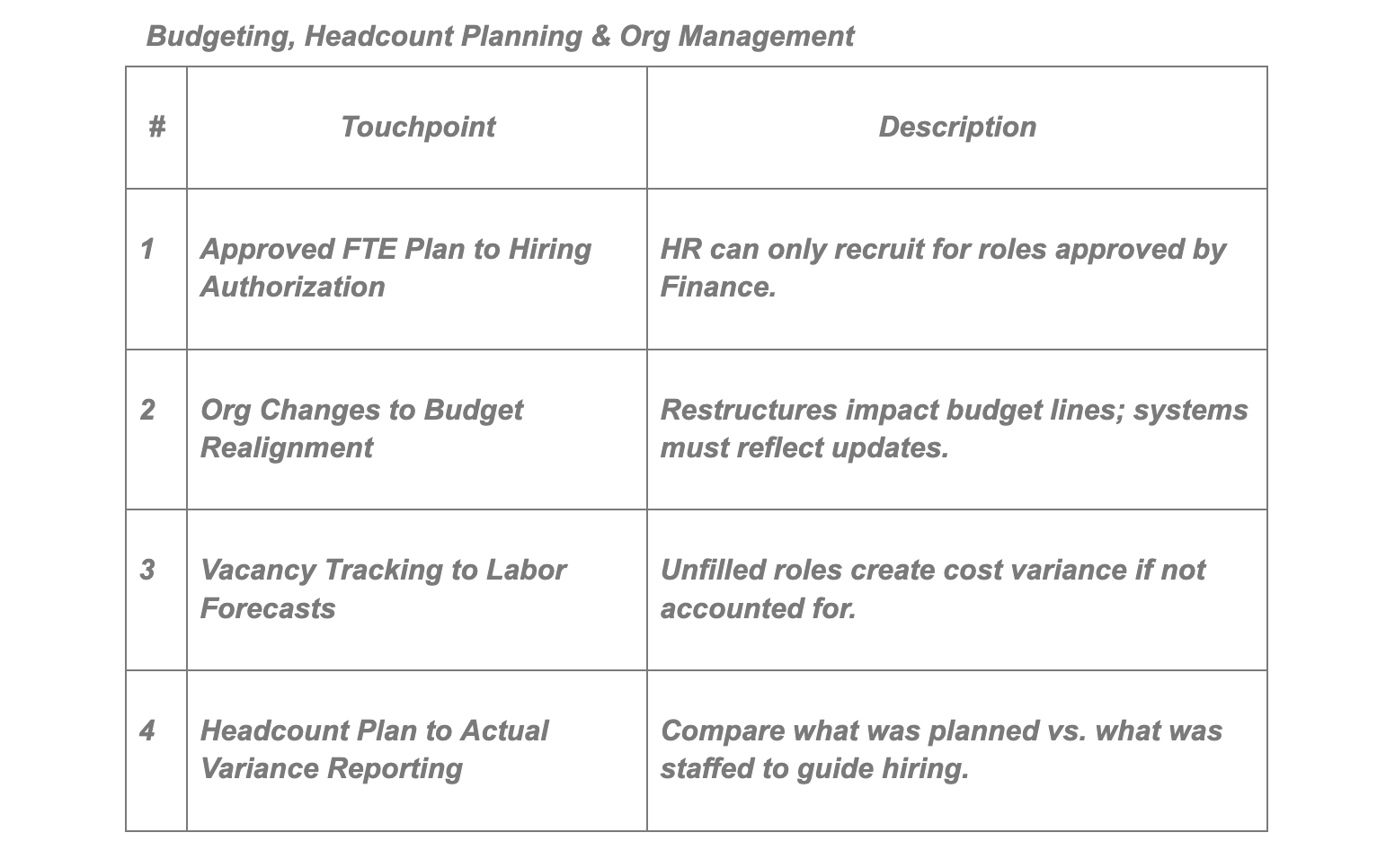
After launch, the program owner can compare cycle time, manual journal or forecast adjustments, data exceptions, and active model usage against the prior process. Those measures show whether the implementation has reduced preparation work and improved adoption. They also give the team a practical basis for choosing the next dataset or planning use case.
Best Practices for Successful Integration
A useful model starts with a defined decision, an accountable data owner, and a refresh schedule that matches the planning cycle.
- Choose one decision: Start with a forecast, margin, workforce, or capacity question that leaders review on a set cadence.
- Assign ownership: Name the team responsible for each source, transformation, validation rule, and exception.
- Limit the first release: Bring in the operational datasets that change the decision. Add more after users trust the first model.
- Test reconciliations: Compare source totals, Prism outputs, and Adaptive Planning results before each production release.
- Design access: Apply Workday security and planning permissions to the data users need for their role.
- Measure adoption: Track forecast-cycle time, manual adjustments, model usage, and unresolved data exceptions.
Organizations working across older finance systems can also review the EVOCS guide to Adaptive Planning with a legacy ERP.
Questions to Answer Before Implementation
Which decisions need fresher data?
List the forecast, resource, pricing, or investment decisions that suffer when teams wait for reconciled spreadsheets.
Which source owns each measure?
Define the system of record for actuals, workforce, customers, products, suppliers, and operational volumes. Document transformations and approval rules.
How often should the model refresh?
Match the schedule to the decision. A monthly financial forecast may need daily operational feeds during a volatile period, while another model may require only a weekly update.
Who handles failed loads and data exceptions?
Assign support ownership before launch. Teams need a clear path for resolving mapping changes, rejected records, and late source files.
Which controls protect sensitive data?
Review source permissions, Prism security domains, planning access, and export rights as one design. Finance, HR, and operational datasets may contain different levels of detail, so each role should receive the fields and intersections required for its work. Include access reviews and test evidence in the release plan.
Workday Adaptive Planning and Prism Analytics can give planners a stronger operating model when teams pair the technology with clear ownership and controls. Schedule a strategy call with EVOCS to assess the data sources, planning use case, and implementation sequence for your organization.