
Adaptive Planning and Workday Financial Management can connect governed financial actuals with budgets, forecasts, scenarios, and approved plans. The integration gives finance teams a consistent way to move from recorded performance to forward-looking decisions without rebuilding the process in spreadsheets each cycle.
The software connection is only one part of the design. Finance still needs aligned accounts and dimensions, clear ownership, controlled schedules, reconciliation rules, and a review cadence tied to management decisions. Without those controls, a faster load can reproduce the same mapping errors and unexplained variances.
What the Integration Supports
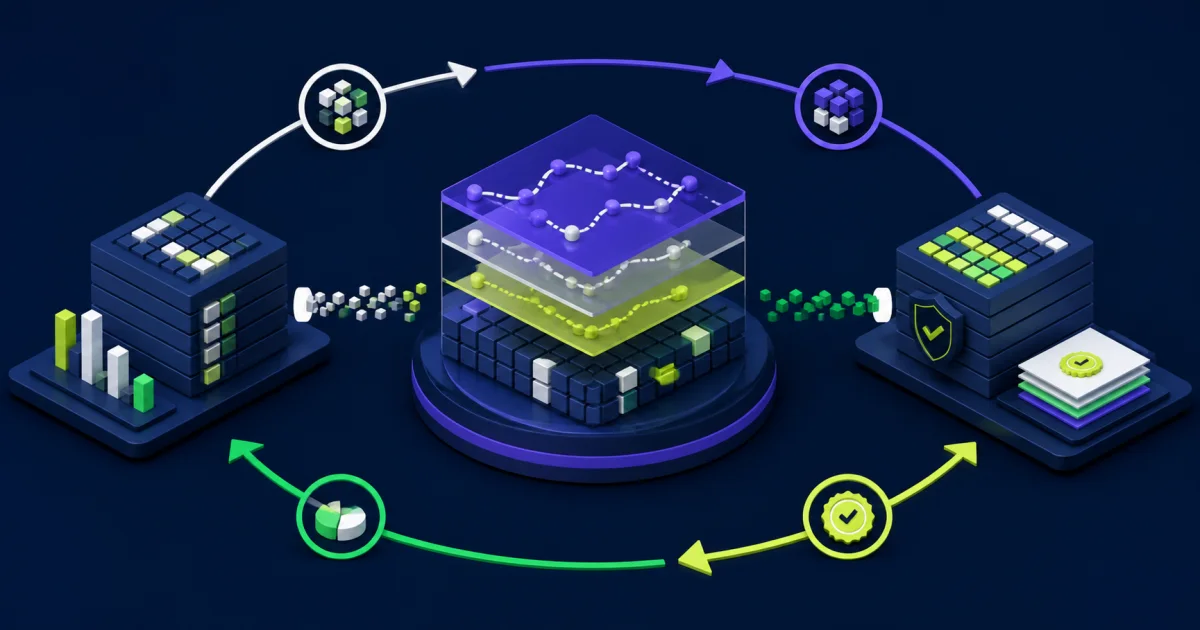
Workday Adaptive Planning provides the modeling environment for budgets, forecasts, scenarios, and operational drivers. Workday Financial Management governs financial transactions, accounting structures, and approved actuals. A controlled integration lets the planning model consume the financial data it needs and, when appropriate, publish approved financial plans back to Workday.
Workday’s data-source setup guidance describes using Workday advanced reports and journal line summaries to import data and metadata into Adaptive Planning. It also covers external-system configuration for drilling into Workday and publishing plans back to Workday.
That creates three distinct flows:
- Metadata such as ledger accounts, companies, cost centers, projects, currencies, and other dimensions moves into the planning model.
- Actuals and selected operational data move into Adaptive Planning at an agreed level of detail.
- Approved plan versions can move into Workday draft plan structures for management reporting or budgetary control.
Not every organization needs all three flows in its first release. A finance team may begin with actuals and metadata, stabilize forecasting, and introduce plan publishing after it trusts the mappings and approval process.
Define the Role of Each System
Assign authority by data type and business event before building integrations. Workday Financial Management will usually remain the governed source for posted transactions, approved balances, ledger accounts, and relevant financial worktags. Adaptive Planning will usually own plan versions, scenarios, model assumptions, planning formulas, and contributor inputs.
Shared data requires more detail. Finance should document which system owns each dimension, where new members originate, how inactive values behave, and when hierarchy changes take effect. If a cost center moves during the forecast cycle, the team needs a rule for current reporting, historical comparisons, and any open plan submissions.
Keep actual, budget, forecast, and scenario versions separate. Closed periods in a forecast may use imported actuals, while future periods retain planning assumptions. Record the cutover period and do not let a routine refresh overwrite an approved baseline or a scenario under review.
Design the Data and Metadata Flows
Start with the decisions and reports the model must support. Loading every available transaction can increase processing time and model complexity without improving a forecast. Select the grain that lets finance explain material variances and trace them to the right source.
For each flow, document:
- Source report, journal line summary, API, file, or other extract.
- Destination account, level, sheet, version, and dimensional intersection.
- Full or incremental load behavior.
- Period and effective-date rules.
- Currency basis, conversion timing, and rounding.
- Schedule, dependency, and expected completion time.
- Record counts, control totals, and rejection thresholds.
- Owner, support route, retry process, and recovery point.
Sequence metadata before dependent data. A new account or cost center cannot load cleanly when the planning structure does not recognize it. Use an explicit dependency so a failed metadata job prevents the actuals load from continuing with partial mappings.
Align Accounts, Levels, and Dimensions
Mapping decisions determine whether finance can compare plan and actuals without manual adjustments. Start with the chart of accounts, company and organizational structures, cost centers, projects, regions, products, customers, currencies, and any custom worktags that drive management reporting.
A one-to-one mapping is easiest to operate, but planning often needs a different level of detail. Several ledger accounts may roll into one planning account, or a planning-only dimension may not exist in the financial ledger. Document aggregation, overrides, ignored values, and the reconciliation level for every exception.
Workday’s plan-publishing documentation explains that financial publishing relies on versions, levels, accounts, dimensions, sheets, plan structures, and plan templates. Those structures must align before an approved plan can populate the intended draft in Workday.
Build Reconciliation Into Every Run
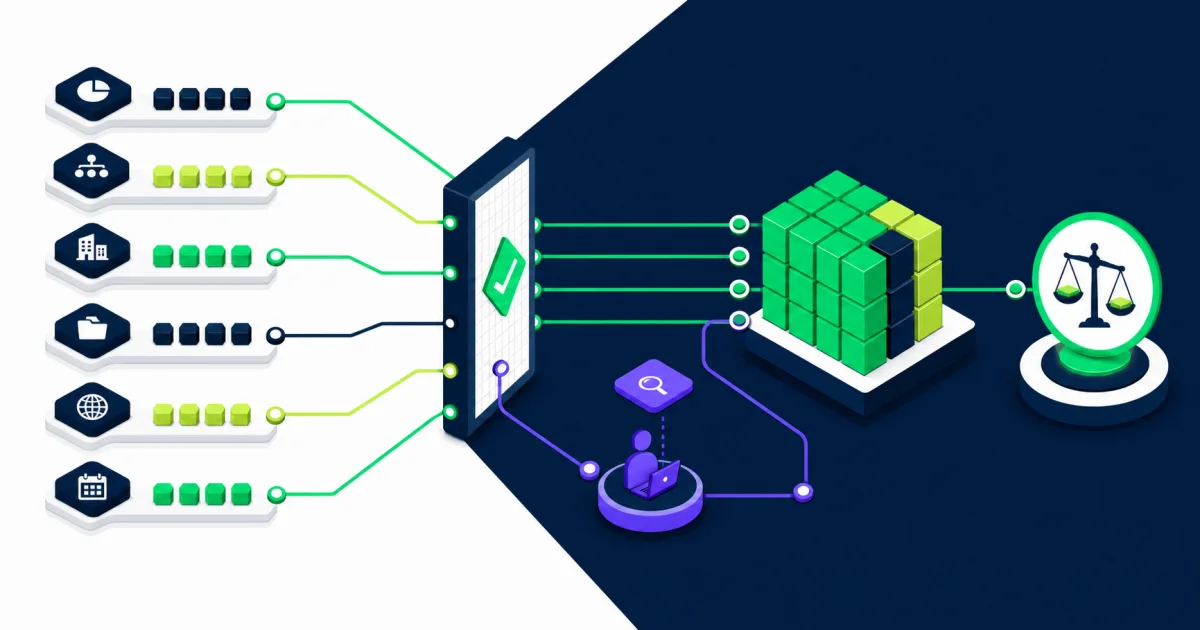
A completed integration job proves that the process ended. It does not prove that finance received the correct data. Reconcile each load before users rely on dashboards, forecasts, or published plans.
Useful controls include:
- Source and destination record counts.
- Total debits, credits, balances, or other financial measures by period.
- Totals by company, account range, currency, and major reporting dimension.
- Missing, unmapped, ignored, and rejected members.
- Comparison with the prior successful load.
- Confirmation that locked or approved versions did not change.
- Sign-off before management reports become available.
Route exceptions to a named owner. Finance should decide which variances stop the process, which can proceed with a documented warning, and which require correction in the source. Keep the evidence with the run so support teams and auditors can reconstruct what happened.
Use a Rolling Forecast Without Losing Control
A rolling forecast works when the model advances with the business instead of remaining fixed to an annual budget. After close, finance loads approved actuals into closed periods and extends the forecast horizon. Managers update the operating assumptions they own, and finance reviews the effect on revenue, cost, margin, cash, and capacity.
Define the cadence around decisions. A monthly refresh may fit businesses with frequent operating changes, while a quarterly cycle may suit a more stable environment. Teams can run interim scenarios without reopening the formal forecast when leadership needs to assess a specific change.
Retain prior forecast versions. Comparing each forecast with the actual result helps finance identify persistent bias, weak drivers, late inputs, and areas where the model needs refinement. Do not rewrite history by replacing the version that leaders originally reviewed.
Plan Scenario Modeling Around Business Drivers
Scenarios should change defined assumptions rather than duplicate the entire model without governance. A scenario might test a hiring delay, price change, demand shift, project deferral, foreign-exchange movement, or change in payment timing.
Assign an owner to each input and state which outputs the decision maker will review. Keep shared logic consistent across scenarios so teams can attribute the result to the changed assumption. If a scenario becomes the approved forecast, record the decision and merge or promote it through the controlled process.
Workday’s model guidance distinguishes an actuals version from plan versions used for budgets, forecasts, and what-if scenarios. That separation supports comparison, but finance still needs naming, access, retention, and approval standards.
Publish Financial Plans With Deliberate Controls
Plan publishing sends an Adaptive Planning version into a Workday draft plan. Workday documentation states that publishing can support previewing plans, management reporting, and budgetary control. The process depends on configured plan structures, templates, mappings, permissions, and the selected period range.
Treat publishing as a controlled handoff:
- Confirm that the source version has completed its finance approval.
- Freeze or restrict the version during the publish window.
- Validate the selected draft plan, period range, currency, account, level, and dimension mappings.
- Review status and contextual error details.
- Reconcile the draft plan in Workday to the approved Adaptive Planning version.
- Submit the Workday plan through the required review process.
Workday’s financial plan publishing steps also note specific mapping, precision, security, and error-handling considerations. Test those behaviors with representative data rather than assuming every planning intersection will publish in the same way.
Design Security and Access by Responsibility
Separate model administration, integration operation, plan contribution, approval, and publishing rights. An integration account should receive only the permissions and API scopes required for its assigned flow. Avoid using a broad personal administrator account for scheduled production jobs.
Limit access to salary, customer, project, margin, or other sensitive detail based on the planning role. Test reports and drill paths as each user group, including the administrator. A summary report can expose restricted detail if a drill-through target or export ignores the intended security boundary.
Record changes to mappings, schedules, credentials, plan templates, model formulas, and security. A technically successful load can still be wrong after an unreviewed configuration change.
Test Business Events, Not Only File Movement
Use test cases that reflect the events finance handles during a real cycle:
- New and inactive accounts, cost centers, companies, and projects.
- Reorganizations and hierarchy changes during the year.
- Late journal entries and reopened periods.
- Multiple currencies, conversions, and rounding.
- Zero values, reversals, and missing dimensions.
- Restated actuals after a forecast refresh.
- Planning-only members and ignored mappings.
- A failed metadata load followed by recovery.
- A publish with warnings, errors, cancellation, and retry.
- Access by planners, reviewers, publishers, and support staff.
Compare totals and reporting outcomes as part of each test. An interface can load every row and still place values in the wrong account or organizational intersection.
Choose the Right Reporting Location
Adaptive Planning is well suited to plan-versus-actual analysis, scenario comparison, management dashboards, and planning detail. Workday reporting can provide governed financial context and transaction drill-through. A data platform may be appropriate when leaders need to combine planning and financial data with large external datasets or cross-platform history.
Assign each report one authoritative definition and owner. Keep headcount, revenue, cost, margin, cash, and forecast measures consistent across tools. EVOCS’s guide to Adaptive Planning and Prism Analytics explains how those environments can serve different analytical needs.
Start With a Controlled First Release
Choose one forecast process, a manageable set of accounts and dimensions, and a clear review cycle. Establish baseline totals and prove the actuals load, model behavior, reconciliation, access, and operational support before expanding scope.
A practical first release includes:
- Named business, data, integration, and support owners.
- An approved mapping workbook or governed configuration record.
- Scheduled metadata and actuals flows with dependencies.
- Reconciliation evidence and exception thresholds.
- Role-based testing and contributor guidance.
- Monitoring, retry, and escalation procedures.
- A backlog for additional models, sources, and plan publishing.
Teams planning a broader architecture can also review EVOCS guidance on Adaptive Planning integration and data and analytics services.
Common Integration Mistakes
Loading more detail than the model needs: Processing and support effort grow without improving the decision.
Letting mappings live in private spreadsheets: Finance cannot trace who approved a change or reproduce a prior cycle.
Refreshing data before metadata: New accounts and dimensions fail or land in fallback members.
Calling a completed job reconciled: The run finishes, but totals or dimensional assignments remain wrong.
Overwriting forecast history: Finance loses the version leaders used and cannot measure forecast accuracy.
Publishing without a controlled handoff: An unapproved or changing version populates the wrong Workday draft plan.
Ignoring support ownership: Integration failures wait while finance, HRIS, and technical teams decide who responds.
Keep Adaptive Planning and Workday Financial Management Connected
Adaptive Planning and Workday Financial Management create a stronger planning cycle when finance governs the full loop. Align the structures, import the right actuals, reconcile every run, control scenario and forecast versions, and publish approved plans through a documented handoff.
Organizations with complex dimensions, multiple source systems, or a demanding close and forecast calendar may benefit from experienced design and stabilization support. EVOCS can help with model architecture, integration controls, reporting, testing, and ongoing operation through its implementation and managed services practices.