
HR analytics implementation starts with a business decision, not a dashboard. Leaders need clear questions, trusted workforce data, privacy controls, and people who can turn evidence into action. Buying a tool before defining those foundations often produces attractive reports that nobody uses.
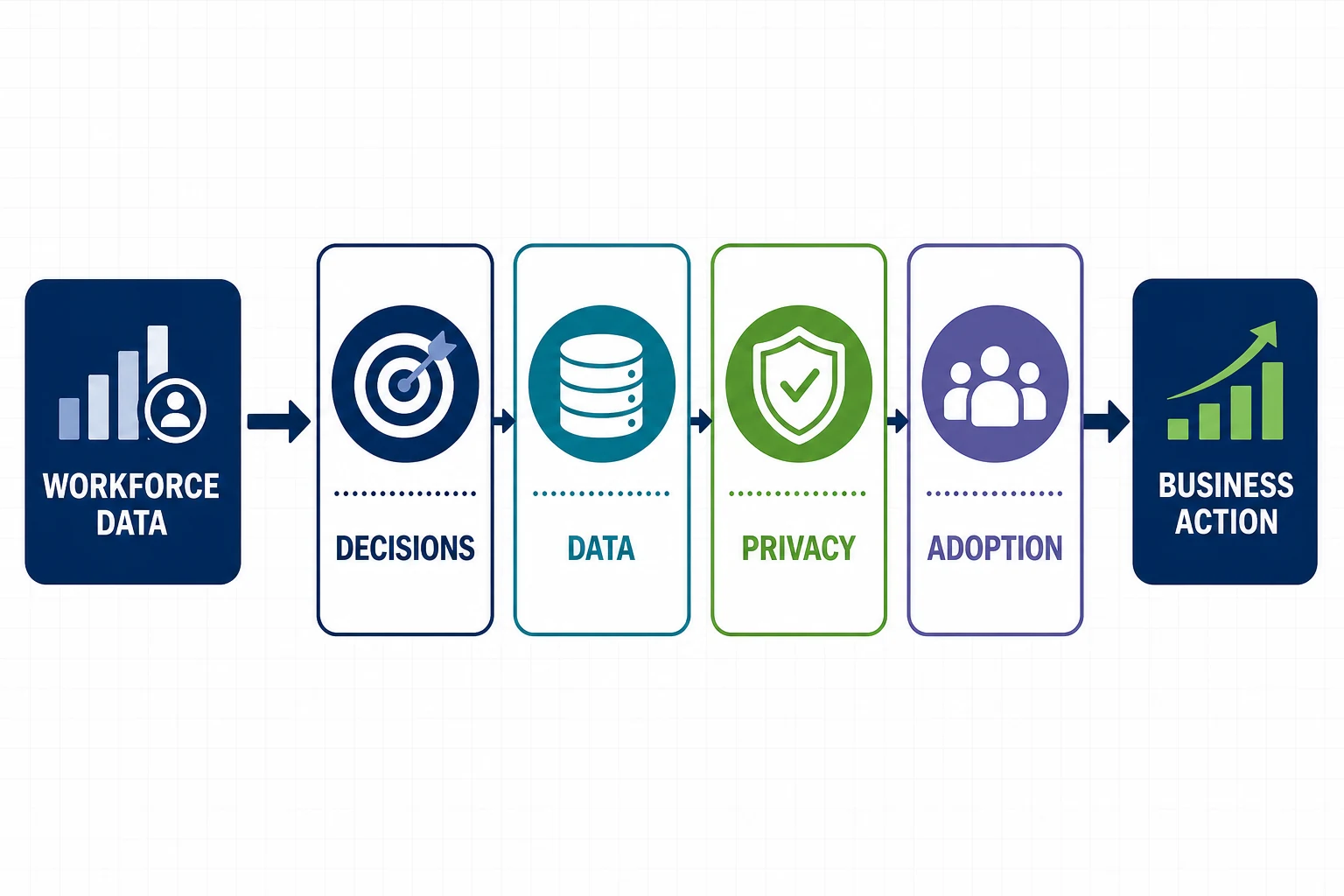
The eight steps below move from business scope to sustainable operations. They apply whether your team uses native HRIS reporting, a people analytics product, a data platform, or a combination.
What HR Analytics Should Deliver
HR analytics helps teams examine hiring, retention, skills, performance, engagement, absence, labor cost, and workforce capacity. Workday defines HR analytics as the use of workforce data and metrics to improve talent decisions and outlines practical implementation considerations in its HR analytics guide.
Select measures that support a named decision. A turnover report has value when a leader can identify a pattern, test a cause, fund an intervention, and measure whether the intervention worked.
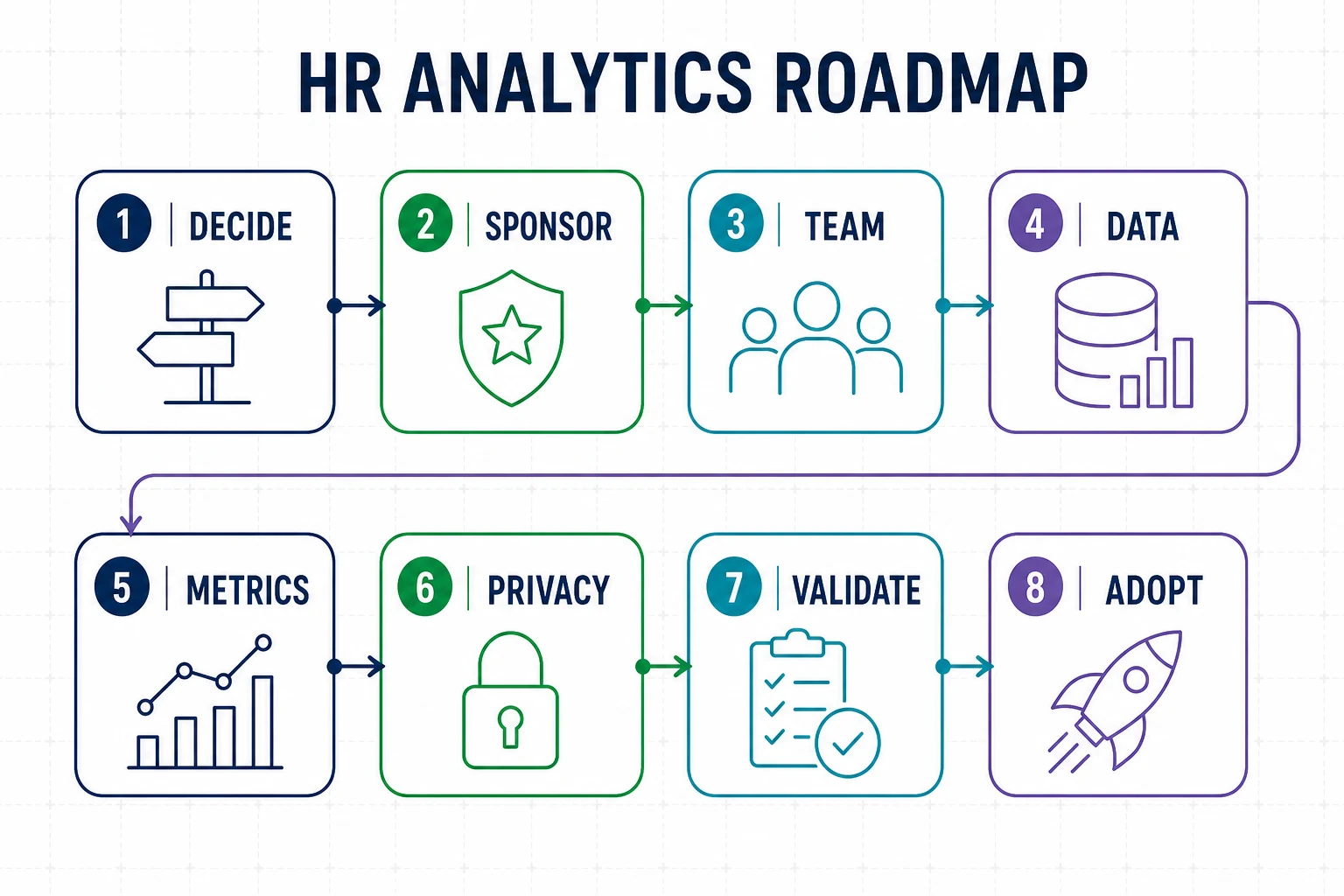
1. Choose a Decision and Executive Sponsor
Begin the HR analytics implementation with one or two questions tied to a business outcome. Examples include reducing early-tenure turnover, improving hiring speed for critical roles, or understanding overtime in a constrained location.
The sponsor should approve scope, remove access barriers, and hold leaders accountable for using the findings. Assign a business owner who will act on the result.
2. Form a Cross-Functional Team
Include HR, HRIS, data, privacy, security, legal, and the business owner. Add finance when the analysis uses labor cost or productivity measures. Define who owns source data, calculations, access, interpretation, and action plans.
Keep the working group small enough to make decisions. Bring specialists into reviews when their expertise affects a metric or control.
3. Inventory and Profile the Data
List the systems, fields, history, refresh schedule, and owner for every input. Profile missing values, duplicates, late transactions, inconsistent codes, and changes in business definitions. Measure data quality before analysts build conclusions on top of it.
- Worker and position history
- Recruiting stages and dispositions
- Compensation, time, and absence
- Performance, learning, and skills
- Engagement or survey results
4. Define Metrics and Comparison Rules
Write each metric as a formula with inclusion rules, exclusions, time period, grain, and owner. Define whether turnover uses average headcount, beginning headcount, or another denominator. Record how reorganizations and retroactive changes affect history.
The HR analytics implementation should publish a metric dictionary alongside dashboards. Reviewers need the same definitions when they compare departments or periods.
5. Apply Privacy, Security, and Ethics Controls
Use the minimum data required for the decision. Restrict small-group reporting, sensitive attributes, free text, and individual-level detail. Document permitted uses, retention, access reviews, exports, and escalation when a result could affect employment decisions.
Workday notes that People Analytics applies configurable security to insights, KPIs, visualizations, and detailed data. Its People Analytics security guidance can inform design reviews. Connect the project to your HR data security controls.
6. Select Technology and Build the Minimum Product
Choose technology after defining questions, sources, refresh needs, security, scale, and user workflows. Build the smallest useful dataset and dashboard. Include data-quality indicators and links to definitions so users can judge the evidence.
Avoid duplicating the same metric across several tools. Name one governed source and a change process.
7. Validate Results With Users
Reconcile totals to source reports and sample individual records with authorized reviewers. Test filters, time periods, reorganizations, late changes, and small populations. Ask managers to explain what action they would take from each view.
An HR analytics implementation needs technical validation and business interpretation. Analysts should flag uncertainty, data gaps, and alternative explanations.
8. Launch, Train, and Measure Adoption
Train users on definitions, access rules, interpretation, and the decisions they own. Track use, questions, data defects, decisions made, and outcome measures. Retire reports that duplicate governed metrics or receive no meaningful use.
Review the product on a fixed cadence. Add new questions only after the team can sustain data quality and support for the first release.
HR Analytics Implementation FAQs
How long should the first release take?
Scope the first release around one decision, a limited set of governed sources, and a small user group. The schedule depends on data quality, privacy review, integrations, and testing.
Which metric should we start with?
Choose a measure tied to an outcome that a named leader can influence. Avoid selecting a metric only because the data is easy to extract.
How can EVOCS help?
EVOCS supports analytics strategy, data governance, reporting architecture, security, testing, and adoption. Contact EVOCS to plan an HR analytics implementation.