
Workday APIs help HR and technology teams exchange workforce data, initiate supported transactions, and connect employee lifecycle events with identity, payroll, benefits, recruiting, learning, finance, service management, and other enterprise systems. A dependable integration requires more than a successful request. Teams must choose the right interface, enforce Workday security, preserve business-process rules, handle effective-dated data, and operate the connection after launch.
This guide explains how to design Workday API integrations around the business event, data volume, latency, security boundary, failure risk, and support model.
What Workday APIs Provide
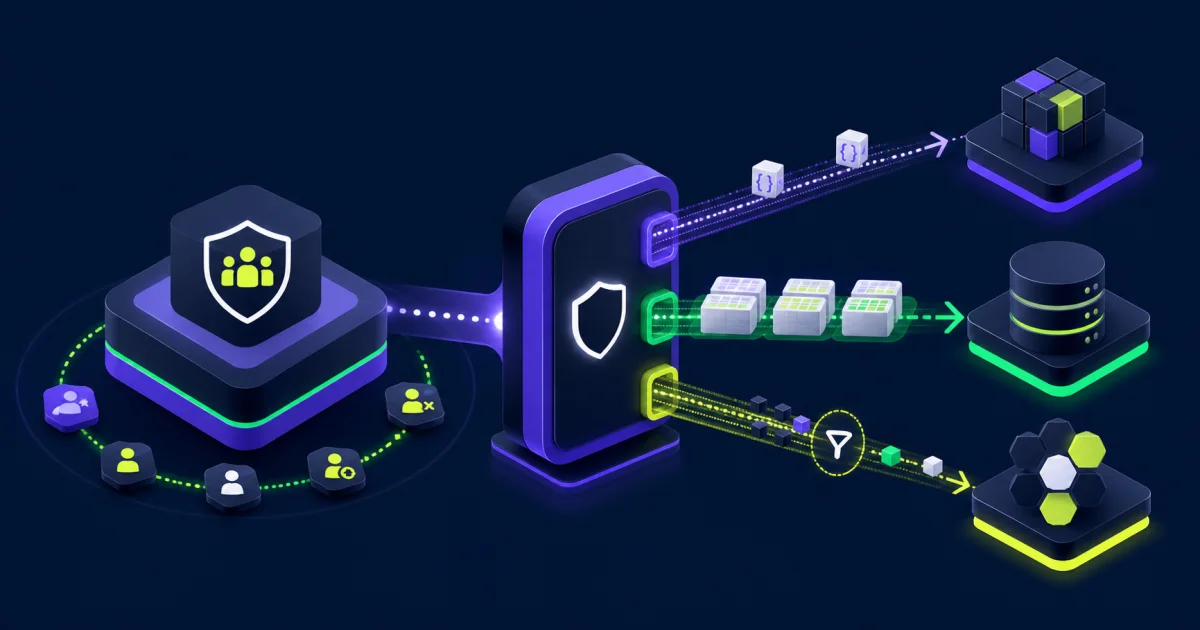
Workday provides multiple API styles for different application and integration needs. They expose business objects, relationships, and operations while enforcing the tenant’s security configuration. The available endpoint and operation determine which data can be read or changed, but the calling identity’s authorization still controls access.
The current Workday API overview describes REST APIs for small, user-initiated transactions, SOAP APIs for enterprise system-to-system exchanges and larger scheduled data movement, and Graph API for requesting the specific data an application needs. Workday also supports Reports-as-a-Service and integration tools for other patterns.
Do not select an interface because one protocol appears newer or simpler. Choose it because its available operations, transaction behavior, volume, latency, security, versioning, and support model fit the use case.
Choose the Right Interface
REST APIs
Workday REST APIs use JSON and suit low-latency requests that retrieve or update a focused set of data. Common examples include an employee self-service application, a portal retrieving a specific worker attribute, or an event-driven orchestration that needs a small response.
Workday’s REST guidance for apps and integrations advises using REST for smaller, user-initiated transactions rather than bulk export or import. Confirm that the required REST service exists and supports the operation before committing to the design.
SOAP APIs
Workday SOAP APIs, also called Workday Web Services, use XML contracts and support a broad set of enterprise operations. They often fit scheduled system-to-system interfaces, larger data sets, and business transactions where the published service operation aligns with the requirement.
SOAP is not automatically more secure than REST. Security depends on the authentication method, transport, Workday authorization, credential handling, data scope, and operating controls. Workday’s SOAP API documentation positions these services for enterprise and batch-oriented data exchanges.
Graph API
Workday Graph API uses GraphQL so an application can request the fields and relationships it needs in one query. It can reduce over-fetching for supported application scenarios, but teams still need to assess authorization, query cost, performance, error handling, and product availability for their context.
Reports-as-a-Service
A Workday custom report enabled as a web service can provide a configurable, read-only outbound interface in formats such as JSON, XML, or CSV. RaaS can fit a focused extract when report fields, filters, prompts, security, and ownership are well governed. It should not become a shortcut around an available API operation or an unmanaged source of sensitive worker data.
Packaged Connectors and Integration Tools
Before building directly against an API, assess whether a supported connector, Enterprise Interface Builder, Workday Studio, Orchestrate, or another approved integration platform fits the need. A packaged option may include mapping, scheduling, monitoring, and vendor-maintained behavior that would otherwise become your responsibility.
Start With an Integration Contract
Define the business behavior before selecting endpoints. An integration contract should identify:
- Source and destination systems.
- Authoritative owner for each field.
- Business event and triggering condition.
- Population, volume, and expected growth.
- Data elements and permitted purpose.
- Required latency and schedule.
- Read, create, update, cancel, or rescind behavior.
- Effective-date and historical requirements.
- Success criteria, control totals, and service expectations.
- Error owner, retry process, and recovery point.
- Security, privacy, retention, and audit requirements.
A request to “send employee data” is not an adequate contract. The team needs to know which workers, which employment relationships, which effective date, which fields, and what the destination must do when a value changes or disappears.
Separate Authentication From Authorization
Authentication establishes the identity making the API request. Authorization determines what that identity can access or perform in Workday. A valid token or certificate does not grant access by itself.
Workday evaluates access through its security model, including domain security policies, business-process security policies, security groups, scopes where applicable, and the context of the requested data. The API operation documentation can identify required security domains, but administrators must validate the complete access path in the tenant.
Use a dedicated integration identity for unattended system-to-system work. Do not use a named employee’s personal administrator account. Assign clear ownership, limit interactive access, record the approved purpose, and prepare a transfer process so the integration does not depend on one employee.
Apply Least Privilege and Data Minimization
Grant the service identity only the domains, business-process actions, populations, and endpoint scopes needed for its approved purpose. Separate read and write responsibilities where that reduces risk. Avoid placing unrelated integrations under one broad identity because a compromise or configuration error would affect every connected system.
Minimize the payload as well as the permissions. HR data may include personal identifiers, compensation, bank, tax, health-related, performance, demographic, and investigation information. Retrieve only the fields the destination needs, filter the population, and avoid storing complete API responses for debugging.
Protect secrets in a credential vault. Restrict retrieval, prevent logging, rotate on a defined schedule, and document emergency revocation. When supported, prefer short-lived tokens and controlled client credentials over long-lived passwords embedded in code or integration properties.
Preserve Workday Business-Process Semantics
An API operation that initiates a Workday transaction may trigger validation, approvals, subprocesses, notifications, and security checks. It should not be treated as a direct database update.
Confirm whether the operation:
- Creates a completed event, draft, request, or business-process transaction.
- Requires references to existing Workday objects.
- Applies default values or organization assignments.
- Triggers approvals, reviews, or integrations.
- Supports correction, cancellation, or rescind behavior.
- Returns warnings separately from blocking errors.
- Produces a reference that the caller can use for status and reconciliation.
Test the same conditions users encounter in the tenant. A technically valid request can still route to the wrong approver, default an incorrect organization, or fail a policy validation.
Handle IDs, Effective Dates, and Pagination
Use stable Workday references appropriate to the endpoint and business object. Do not rely on a name, email address, or display value as the sole key. Maintain governed mappings when the external system uses its own identifier.
Effective-dated data needs an explicit interpretation. Decide whether the integration requires the current value, the value as of a business event, future changes, history, or corrections. A worker transfer entered today for next month should not silently update a downstream system that expects the current organization.
For paged results, process every page, record the page and count behavior, and prevent duplicate or missing records if data changes during extraction. Use filters and response controls to limit the data set rather than retrieving a broad population and discarding most of it afterward.
Design Idempotency, Retries, and Error Handling
Idempotency prevents a repeated request from creating a second business outcome. It matters when a network timeout leaves the caller uncertain about whether Workday processed the first request.
Use a unique business key or request reference where the interface supports it. Before retrying a write, check the original request status or query for the resulting object. Do not retry every failure automatically.
Classify errors:
Temporary technical failure: A timeout, service interruption, or rate constraint may justify a limited retry with increasing delay.
Authentication failure: Stop and alert. Repeated attempts can obscure credential or configuration problems.
Authorization failure: Route to the security owner. Retrying will not add permission.
Validation failure: Send the record to the business or data owner with enough context to correct the input.
Duplicate or conflict: Reconcile the existing transaction before any new write.
Partial batch failure: Record successful and failed items separately and avoid replaying completed transactions.
Make error messages useful without exposing personal data or credentials. Include a correlation ID, integration name, operation, timestamp, environment, sanitized business key, and resolution owner.
Operate the API Lifecycle
An API integration needs an operating owner from the first design session. The owner should understand business timing, Workday security, upstream and downstream dependencies, failure impact, and the recovery process.
Monitor availability, request volume, latency, response status, authentication failures, authorization failures, validation errors, retry count, duplicate prevention, stale data, control totals, and unresolved exception age. Set thresholds around business risk rather than alerting on every non-success response.
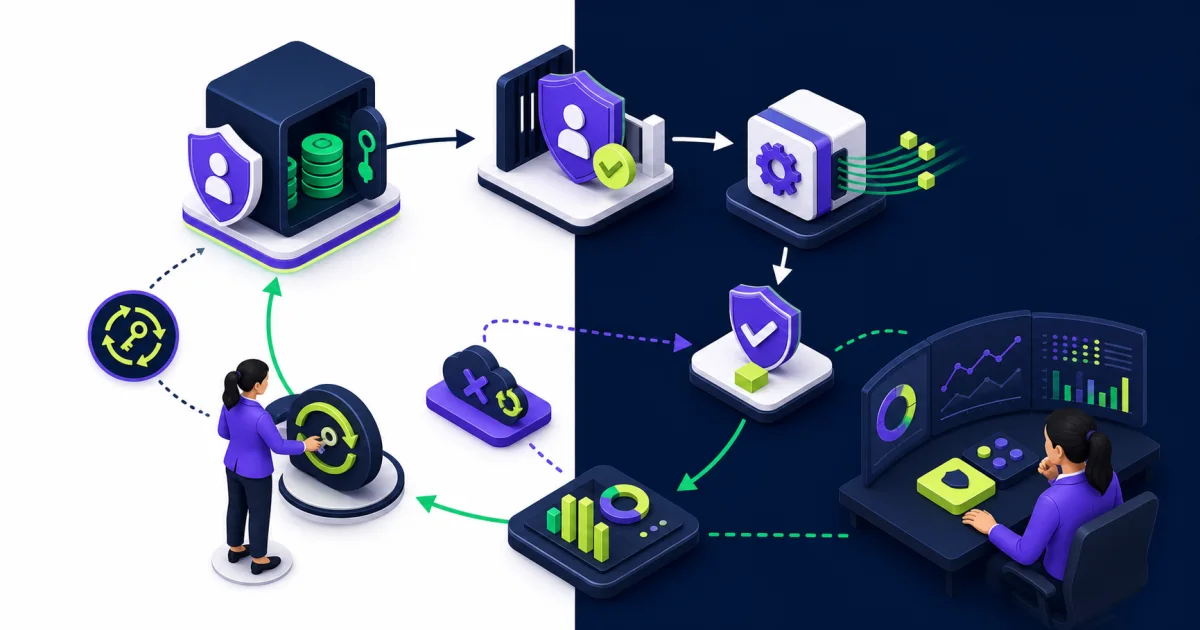
Maintain a credential and certificate inventory with owner, purpose, environment, storage location, creation date, expiration date, rotation procedure, and emergency contact. Test rotation before production expiry.
Reconcile the business outcome as well as the technical call. A successful response does not prove that the destination created the right account, that a Workday business process completed, or that every worker in a scheduled population was processed.
Manage API Versions and Workday Releases
Pin a supported API version when the interface allows it. Record the version with the integration design and test evidence. Avoid unversioned endpoints for production dependencies unless Workday specifically documents that pattern for the service.
Workday publishes updated Web Services versions with releases. Its web-services versioning guidance explains that applications should account for version changes and that compatibility is not unlimited. Review release notes, deprecation notices, schema changes, and endpoint behavior within the organization’s release process.
Keep representative regression tests for authentication, authorization, required fields, response parsing, pagination, effective dating, business-process routing, errors, and reconciliation. Test in a nonproduction tenant using protected data appropriate for that environment.
Test Real HR Lifecycle Scenarios
Test common events and difficult exceptions:
- Pre-hire becomes an employee.
- Contingent worker converts to employee.
- Worker has multiple jobs or employment relationships.
- Manager, organization, location, or company changes on a future date.
- Termination is corrected or rescinded.
- Former worker is rehired and must match the prior identity.
- Required data is missing, invalid, or inaccessible to the service identity.
- Destination system is unavailable after Workday accepts a transaction.
- Same request arrives twice.
- API version or schema changes during a release test.
- Credential expires or access is revoked.
Verify the human and operational outcome. Check the worker, organization, account, approval, notification, downstream record, security access, and audit history that the integration should produce.
Practical Workday API Use Cases
Identity lifecycle: Send approved hire, transfer, leave, and termination events to identity systems with clear account and access rules.
Benefits and payroll: Exchange worker eligibility, elections, deductions, results, or status using controlled schedules and reconciliation totals.
Learning: Provide worker, organization, job, and enrollment data to a learning platform and return supported completion results.
Recruiting: Move approved candidate or pre-hire data into the correct Workday process while preserving consent, matching, and duplicate controls.
Employee applications: Use focused REST operations for self-service experiences that need a small, prompt response.
Analytics: Extract governed workforce data at the required grain without turning an operational API into an uncontrolled data lake feed.
The EVOCS guide to Workday EIB data integration explains when a configured batch interface may fit better than custom API development. The broader HR technology integration guide covers architecture, ownership, monitoring, and operating controls across platforms.
Use a Controlled Implementation Plan
Define the Business Event
Document the trigger, population, data, action, timing, owner, control, and outcome. Confirm whether Workday or the connected system is authoritative for each field.
Select and Prove the Interface
Confirm that the API operation, RaaS report, connector, or integration tool supports the requirement. Build a small proof with representative security and effective-dated data before committing the architecture.
Design Security and Recovery
Create the service identity, permissions, credential storage, rotation plan, error classes, retries, idempotency control, and reconciliation process. Conduct a security and privacy review before production access.
Test the End-to-End Process
Test valid events, exceptions, duplicates, future dates, corrections, outages, and access changes. Verify response codes alongside the resulting business process and downstream record.
Transfer to Operations
Provide monitoring, runbooks, ownership, escalation paths, access-review cadence, release tests, and known limitations. Observe the first production cycles and resolve recurring exceptions before expanding scope.
Common Workday API Mistakes
Choosing REST because it appears simpler: The required operation, volume, or batch behavior may fit SOAP or another tool better.
Using a personal administrator account: Ownership, least privilege, and continuity break when the employee changes roles or leaves.
Granting one integration identity broad access: Unrelated interfaces share an unnecessary security boundary.
Treating a token as authorization: Authentication succeeds while Workday domain or business-process access remains incorrect.
Ignoring effective dates: Future and historical worker changes reach the destination at the wrong time.
Retrying writes without reconciliation: A timeout creates duplicate hires, accounts, or transactions.
Logging full payloads: Support tooling becomes an uncontrolled store of sensitive HR data.
Skipping version management: A release or deprecation changes the interface without regression evidence.
Monitoring response codes only: The call succeeds while the business process, downstream update, or population remains incomplete.
Build APIs That the Operating Team Can Trust
Workday APIs can support timely, secure HR integrations when teams match the interface to the business event and govern the full lifecycle. Define a precise contract, separate authentication from authorization, minimize data and permissions, respect Workday business-process behavior, design safe retries, pin versions, and reconcile outcomes.
EVOCS can help assess integration architecture, select the appropriate Workday tool, design security and controls, build and test interfaces, and establish ongoing support through its implementation and managed services practices.