
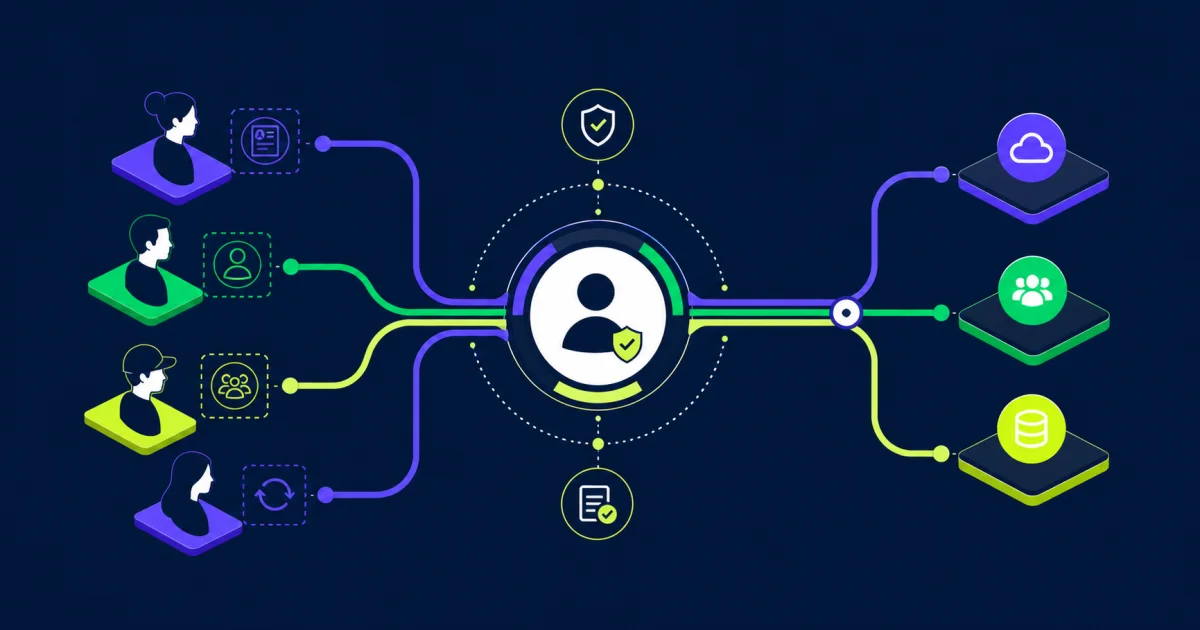
Workday Universal ID can give each person a stable identifier that supports consistent workforce identity across business processes and connected systems. The value is not the number itself. It comes from the governance, matching rules, lifecycle controls, and reconciliation practices that keep one person tied to the correct identity over time.
This distinction matters when a candidate becomes an employee, a contingent worker converts to an employee, or a former worker returns. Names, email addresses, job details, and system accounts can change. A well-governed identifier provides continuity without turning a changeable business attribute into the identity key.
What Workday Universal ID Is
Workday documentation describes the Universal ID configuration as the ID definition used to identify a person with a unique number. In practice, it can serve as a person-level reference that remains useful when worker-related records or assignments change.
That person-level scope is important. An organization may have multiple identifiers that answer different questions. A worker ID may identify a worker record, a position ID may identify a position, and a Workday internal identifier may support application processing. Universal ID is intended to help identify the person across relevant lifecycle events.
Do not assume that enabling a field automatically creates enterprise identity governance. The organization still needs to define who receives an identifier, when it is assigned, how duplicates are prevented, which systems consume it, and what happens when records are corrected or merged.
Separate Identification From Authentication
An identifier answers “which person?” Authentication provides confidence that someone attempting access is the legitimate user. Identity proofing establishes evidence about a person’s claimed real-world identity, while federation passes identity and authentication information between trusted systems. These functions are related, but they are not interchangeable.
The current NIST Digital Identity Guidelines treat identity proofing, authentication, and federation as distinct parts of digital identity risk management. Workday Universal ID should therefore not be treated as a password, authenticator, proofing result, or replacement for multifactor authentication.
The identifier also should not be considered secret merely because it is not displayed broadly. If it can be linked to an individual or combined with other workforce data, it may need privacy and security controls. Avoid placing it in public URLs, exposed filenames, or uncontrolled exports unless there is a documented reason and appropriate protection.
Understand the Other IDs in the Environment
Before selecting a primary cross-system identifier, inventory the IDs already in use and document the purpose of each one.
Universal ID: A person-level identifier configured to support continuity across the relevant workforce lifecycle.
Employee or contingent worker ID: A business-facing identifier associated with a worker record or worker type. Its behavior during conversion, rehire, or concurrent relationships depends on configuration and policy.
Workday internal IDs: Application identifiers used to reference Workday objects. They may be appropriate for particular integrations but should not be presented to business users as universal identity policy.
Username or sign-in name: An access-related value that may change because of naming conventions, domain changes, or security events.
Email address: A communication attribute, not a durable identity key. It can change, be reused, or be absent for some worker populations.
External system ID: A key assigned by payroll, benefits, physical access, learning, finance, or another application. It may remain necessary even when Universal ID becomes the enterprise correlation key.
The goal is not to force every application to display or store one field in the same way. The goal is to define an authoritative person reference and maintain controlled mappings where systems have legitimate local identifiers.
Set Design Principles Before Configuration
A durable Universal ID design usually follows a few practical principles:
- Unique: one identifier represents one person within the defined enterprise scope.
- Stable: ordinary changes to name, company, job, location, manager, or email do not change it.
- Non-semantic: the value does not encode birth date, legal entity, location, worker type, gender, or other attributes that can change or disclose information.
- Non-recycled: an identifier is not reassigned to another person after termination or deletion.
- Governed: ownership, generation, matching, correction, access, and distribution are documented.
- Observable: integrations and reports can detect missing, duplicate, or conflicting values.
Define the scope explicitly. A global enterprise may want one person identifier across countries and subsidiaries, while regulatory or architectural constraints may require boundaries. Record the decision so that implementation teams do not infer scope from whichever system they configure first.
Map the Full Identity Lifecycle
Identity design should begin before the hire event. Decide whether a candidate, pre-hire, employee, contingent worker, student, or other person type receives a Universal ID and at which approved business event. Assigning too early can create unnecessary person records. Assigning too late can force recruiting, onboarding, screening, and access processes to rely on weaker matching attributes.
Map the identifier’s behavior through:
- Candidate or pre-hire creation.
- Hire and onboarding.
- Additional jobs or concurrent relationships.
- Employee-to-contingent and contingent-to-employee conversion.
- Cross-company or cross-country moves.
- Leave and return.
- Termination and downstream deprovisioning.
- Rehire after a short or long break in service.
- Record correction, rescind, merge, and duplicate resolution.
For each event, identify the authoritative system, matching inputs, responsible team, downstream action, exception route, and audit evidence. This work should align with the broader Workday authentication and cloud security model, but the identifier lifecycle and account-access lifecycle should remain separately governed.
Design Matching and Reconciliation Controls
Most identity problems do not begin with the identifier generator. They begin when the organization decides whether an incoming record represents a new person or someone already known. Names alone are unreliable, and exact email matching can fail when addresses change or are reused.
Use a documented hierarchy of trusted attributes and business rules. The right combination depends on jurisdiction, population, data availability, and privacy constraints. Matching may consider an existing verified identifier, prior worker record, date of birth, contact information, government-issued values where lawful, or other approved attributes. Restrict sensitive inputs, record why they are used, and do not collect additional personal data simply to make matching easier.
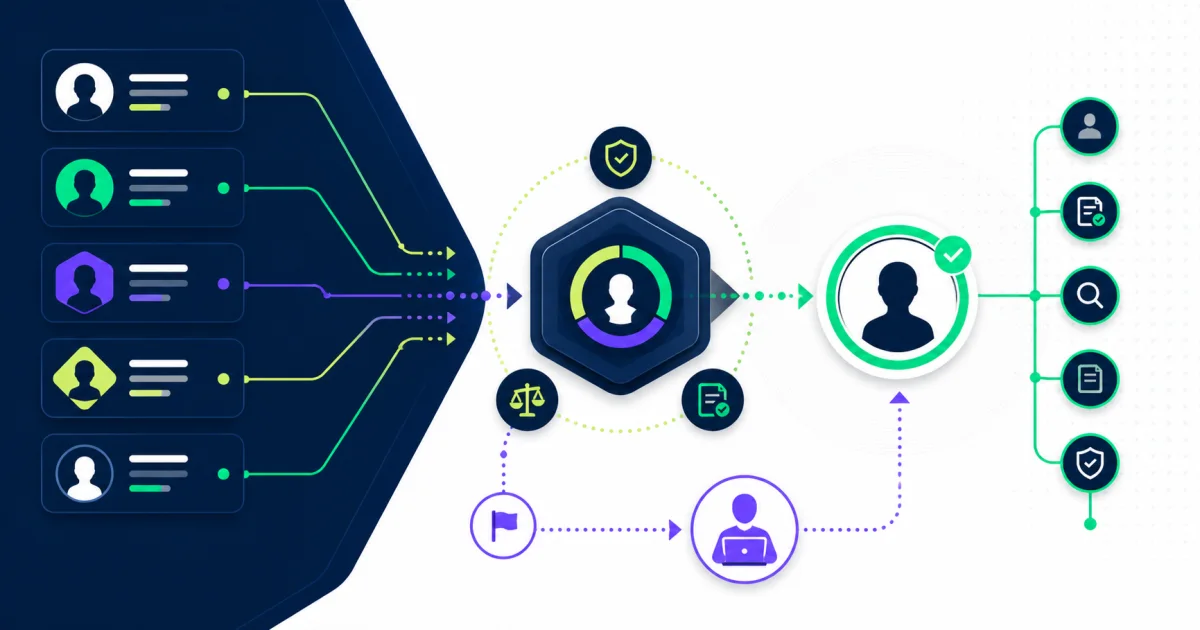
Define confidence thresholds and exception handling. A high-confidence deterministic match may proceed automatically. An ambiguous record should route to trained human review with enough context to decide safely. The reviewer should be able to reject the proposed match, request evidence, and document the resolution.
Reconciliation should detect:
- More than one Universal ID associated with the same person.
- One Universal ID associated with conflicting people.
- Missing IDs on in-scope records.
- Downstream accounts mapped to an obsolete or incorrect identifier.
- Rehires created as new people instead of matched to the prior identity.
- Conversion events that create parallel employee and contingent identities.
- Manual changes that bypass the approved process.
Assign an owner and response time for each exception. A dashboard without an operating process only makes unresolved risk more visible.
Integrate Universal ID Without Overloading It
Universal ID can be a useful correlation key for identity platforms, payroll, benefits, learning, physical access, service management, finance, data warehouses, and other workforce-dependent systems. Each integration still needs a defined contract.
Document the source field, destination field, event timing, historical behavior, data type, allowed format, retry logic, and reconciliation method. Test whether the destination can store the value without truncation or transformation. Confirm whether an existing connector requires a different native key and maintain a governed crosswalk when necessary.
Do not silently replace a production integration key. If a system currently correlates workers by employee ID or an application-specific key, changing the key can create duplicate accounts, lost history, incorrect access, or failed transactions. Plan migration, parallel validation, rollback, and downstream owner approval.
The same discipline applies to broader HR technology integrations. A stable identifier improves correlation, but it does not replace event design, effective dating, monitoring, security, or error recovery.
Protect the Identifier and Its Mappings
Grant access based on business need. HR operations, identity administration, security, integration support, and audit teams may need different views and actions. Limit who can create, change, merge, export, or map identifiers, and record privileged changes.
Review reports, integration payloads, logs, support tickets, and data extracts for unnecessary exposure. A Universal ID may be less sensitive than payroll or health data, but the mapping between identifiers can reveal a person’s relationships across systems. Protect mapping tables, particularly when they connect employee, applicant, account, and external-provider records.
Retention and deletion rules also need care. Removing an active mapping too early can break audit history or cause a returning worker to receive a second identity. Retaining personal data indefinitely can create privacy risk. Legal, privacy, security, records, and HR teams should define the rule together.
Implement in Controlled Stages
Profile the Current Population
Measure missing identifiers, duplicate people, reused emails, inconsistent worker IDs, historical rehires, conversions, and records that differ across systems. Segment findings by country, worker type, business unit, and source so the team can see where one global rule may fail.
Approve Rules and Ownership
Document scope, assignment timing, format, matching logic, exception authority, correction procedures, and downstream responsibilities. Name a business owner who can resolve policy questions and a technical owner who can maintain the implementation.
Pilot Difficult Scenarios
Test more than active employees. Include pre-hires, contingent workers, conversions, concurrent jobs, terminated workers, rehires, missing attributes, corrected personal data, and potential duplicates. Validate both Workday behavior and every critical downstream mapping.
Migrate and Reconcile
Create an approved crosswalk from legacy identifiers to the new person reference. Count records before and after each migration step, investigate unmatched and multiply matched people, and retain evidence of decisions. Avoid mass auto-merging based on a single weak attribute.
Operate and Improve
Monitor exception volume, duplicate rate, unresolved age, downstream mismatch, rehire accuracy, access errors, and manual overrides. Review trends after acquisitions, reorganizations, system migrations, policy changes, and Workday releases.
Common Workday Universal ID Mistakes
Treating the ID as an authentication control: A stable identifier does not prove who is signing in.
Using email as the primary match: Email can change, be missing, or be reused.
Encoding business meaning: Legal entity, location, or worker type can change and may disclose information.
Ignoring contingent workers and rehires: The hardest lifecycle events are deferred until production.
Letting each integration choose its own rule: Different systems create conflicting identities and mappings.
Auto-merging ambiguous records: A false match can expose data or attach access to the wrong person.
Skipping reconciliation: Successful interface runs conceal duplicate or incorrect mappings.
Assuming configuration equals governance: The field exists, but ownership and exception handling remain undefined.
Build Identity Continuity You Can Defend
Workday Universal ID is most useful when it anchors a deliberate person-identity model. Define what the identifier represents, separate it from authentication, govern assignment and matching, test difficult lifecycle events, and reconcile every critical downstream mapping.
Organizations with multiple worker populations, legacy HR systems, acquisitions, or complex identity integrations may benefit from structured implementation support. EVOCS can help design the operating model, integration controls, migration plan, and ongoing reconciliation through its implementation and managed services practices.